
How can I check if my tax return has been filed?
Instructions
STEP 1:
Log in to your Portal das Finanças account through this link using your NIF and password.
STEP 2:
Under IRS, click ACEDER (access).
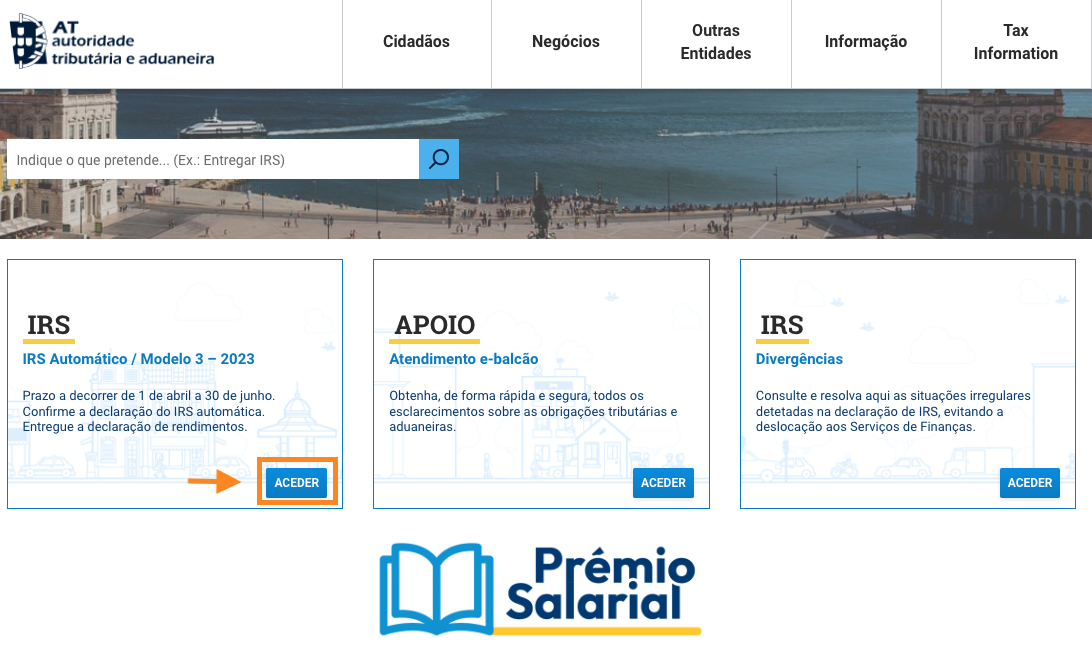
If IRS is not available on your homepage, type "IRS" in the search bar.
STEP 3
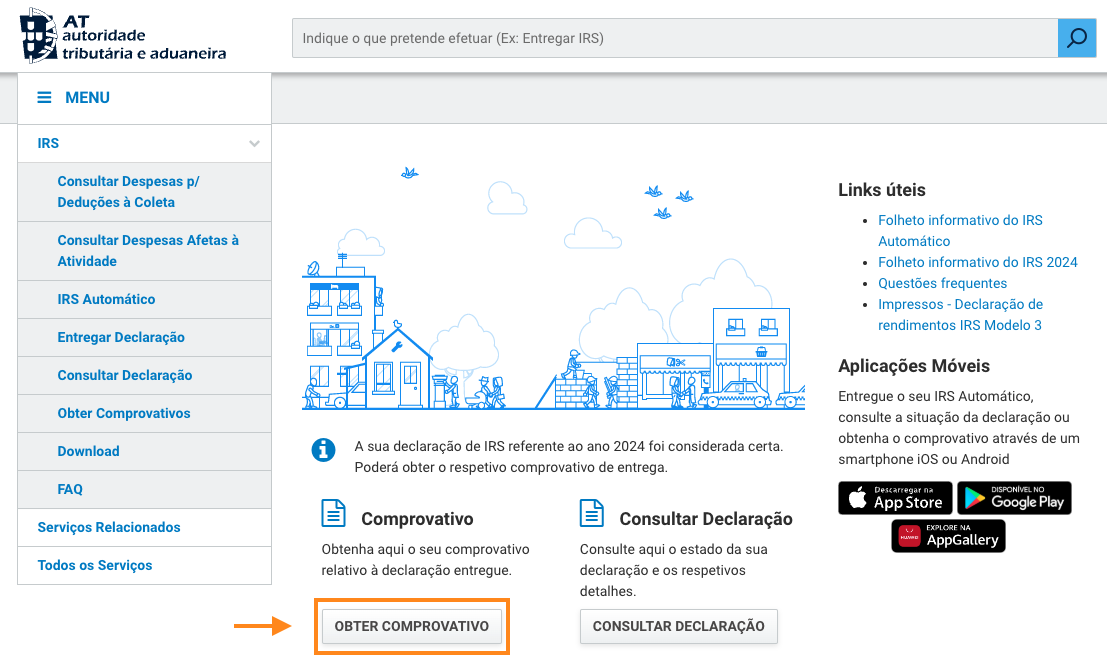
- Under Comprovativo (Proof), click OBTER COMPROVATIVO (Get proof).
STEP 4
- On this page, you'll see Ano (tax year) and Data Receção (receipt date).
- Click COMPROVATIVO to download the document confirming that your Portuguese tax return has been filed.
